

7 Steps to Secure Server Rack Cables Properly
Last Updated: October 30, 2026
Quick Summary
To secure server rack cables properly, plan the routes first, keeping power, data and fibre apart and leaving a small service loop. Then bundle cables by destination, fasten reusable hook-and-loop straps at the rack edge bottom to top, snug rather than tight, and label both ends.
- Route power, data and fibre along separate paths wherever possible.
- Leave a small service loop so connectors carry no strain.
- Work through the rack bottom to top, keeping each bundle supported.
- Fasten straps snug, because over-tightened ties can crush jackets and damage fibre.
- Label both ends of every cable before closing the rack.
Table of Contents
Securing server rack cables properly starts long before you reach for a tie. Reusable hook-and-loop straps and ties are a practical choice for this job, but the cables themselves need a plan first. Get the routing right, and the securing step becomes quick and clean.
Route power, data and fibre along separate paths where you can. Keep cables short enough to reach their port without strain, leave a small service loop, and follow the rack edges and cable managers rather than cutting across open space. Each cable should have a clear route from its device to its destination before anything gets fastened.
Common mistakes:
- Running power and data cables side by side for long distances
- Leaving no slack, which puts strain on connectors
- Blocking airflow with bundles stacked in front of fans
Once the routes are set, you are ready to secure.
Securing Server Rack Cables Step by Step
VELCRO® ONE-WRAP Reusable Double Sided Strapping Tape Hook and Loop →
Work through the rack in order, bottom to top, so each bundle stays supported as you go.
- Gather cables by destination and type, then bundle them loosely.
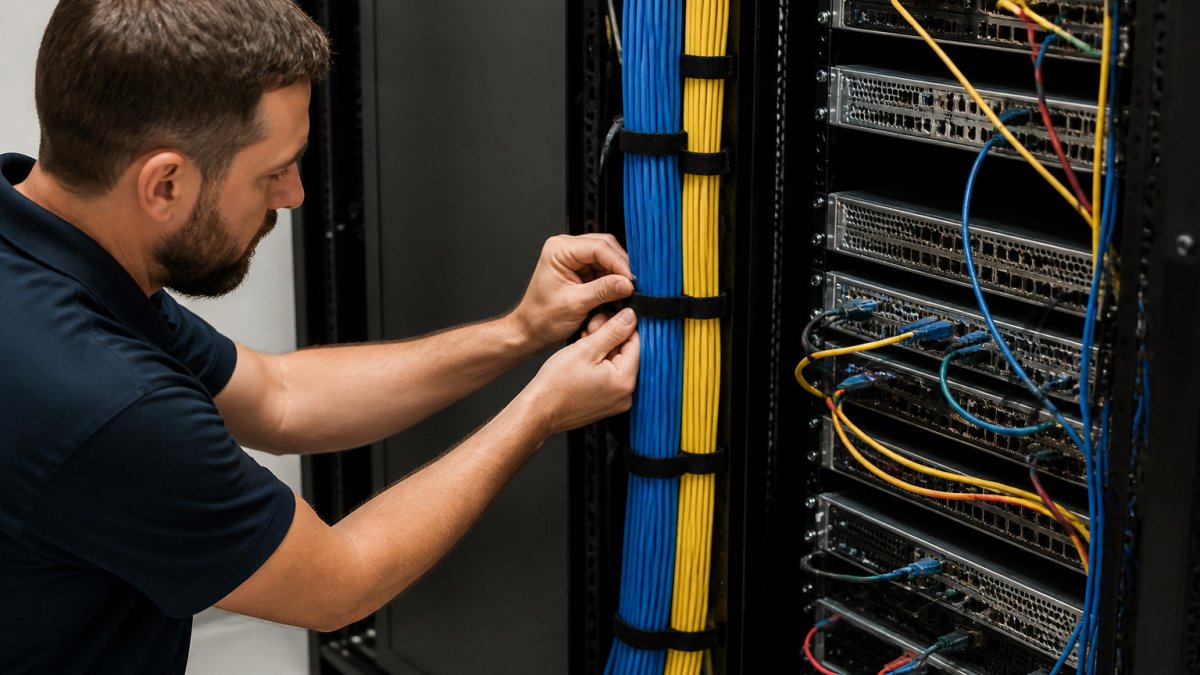
- Attach a reusable hook-and-loop strap at the rack edge or lacing bar.
- Wrap the strap around the bundle and close it firmly, not tight.
- Check that each connector has no pull on it.
- Confirm airflow paths are still clear.
- Repeat along the route, spacing fasteners evenly.
- Label both ends of every cable before you close the rack.
Watch out: over-tightened ties can crush cable jackets and damage fibre, so snug is enough.
Choosing Server Rack Cable Ties and Velcro Straps, Then Labelling Your Work
Reusable hook-and-loop straps suit racks that change often, because you can open and re-fasten them without cutting. Our VELCRO® ONE-WRAP Ties are a practical choice for this, available in 13mm or 20mm widths, and the VELCRO® ONE-WRAP Reusable Double Sided Strapping Tape Hook and Loop is handy for larger bundles. Plastic cable ties work too, but they are harder to remove without damage.

Labels finish the job. Mark each cable at both ends so the next technician knows where it goes without tracing it by hand.
Frequently Asked Questions
How do you secure cables in a server rack?
Plan the route first, sort cables by type and destination, then run them along the rack edges or cable managers. Bundle them loosely into groups, fasten each bundle with a hook-and-loop strap or cable tie at intervals, and leave a short service loop at each device. Avoid pulling cables tight, as this strains connectors and restricts airflow. Finish by labelling both ends so future changes are quick and safe.
How tight should cable ties be on server rack cables?
Snug enough to hold the bundle in place, but not so tight that the jacket deforms or the cables cannot move slightly with the equipment. Overtightened ties can damage insulation and affect performance, particularly for fibre. Hook-and-loop straps are often preferable because they can be loosened and adjusted without cutting. Check bundles periodically, as cables can settle over time.
Should server rack cables be bundled together?
Bundle cables that share a route and destination, but keep power and data cables separated to reduce interference. Avoid bundling very large numbers of cables into one tight group, since this traps heat and makes individual cables hard to trace. Keep bundles at a manageable size and leave clearance around them so air can circulate.
